
Amazon eero 6 Review: The Reliable Gateway to Hassle-Free Mesh Networking
Forget buffering and dead zones. The eero 6 brings sophisticated dual-band Wi-Fi 6 to your home with a setup so simple it feels like magic. Is it still the best choice for the average household in 2026?
Updated February 8, 2026
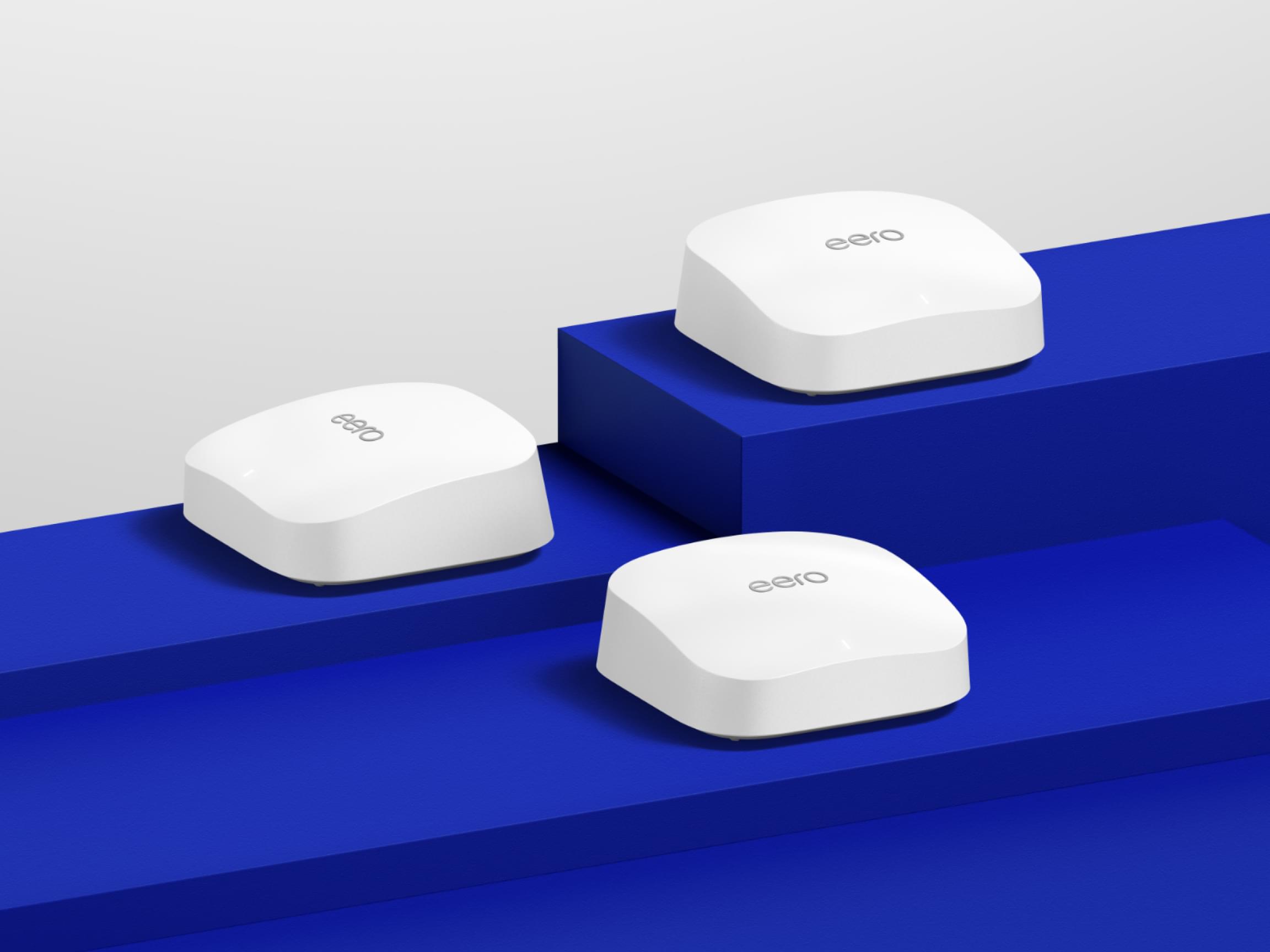
The Amazon eero 6 remains a cornerstone of the mesh Wi-Fi market, prioritizing user experience and stability over raw, enthusiast-grade speed. As a dual-band Wi-Fi 6 router, it offers a built-in Zigbee smart home hub and seamless integration with the Alexa ecosystem. While newer tri-band models exist, the eero 6 offers a "set-and-forget" reliability that appeals to families and remote workers who want consistent coverage without navigating complex networking menus.
Pros
- Incredibly intuitive mobile app setup that guides users through optimal node placement.
- Integrated Zigbee and Thread support for direct smart home device pairing.
- Compact, minimalist design that blends into home decor without protruding antennas.
- Frequent "over-the-air" security and performance updates from Amazon.
- Exceptional handoff logic that prevents drops when moving between rooms.
Cons
- Limited to two Gigabit Ethernet ports per unit, necessitating an external switch for wired setups.
- Dual-band architecture can lead to congestion in homes with very high device density.
- Advanced security features and parental controls require a recurring eero Plus subscription.
- No dedicated web interface; management is strictly limited to the mobile application.
- Performance can dip significantly when passing through heavy masonry or multiple floors.
The Amazon eero 6 remains a cornerstone of the mesh Wi-Fi market, prioritizing user experience and stability over raw, enthusiast-grade speed. As a dual-band Wi-Fi 6 router, it offers a built-in Zigbee smart home hub and seamless integration with the Alexa ecosystem. While newer tri-band models exist, the eero 6 offers a "set-and-forget" reliability that appeals to families and remote workers who want consistent coverage without navigating complex networking menus.
Design and Build Quality
The eero 6 departs from the aggressive, spider-like aesthetics of traditional gaming routers, opting instead for a soft, white "pebble" design. Its low profile allows it to sit on a bookshelf or kitchen counter without drawing unwanted attention. The build is solid, utilizing high-quality matte plastic that resists fingerprints. There are no external antennas to adjust; the internal arrays are optimized for a spherical coverage pattern. On the rear, the simplicity continues—or frustrates—with only two auto-sensing Gigabit Ethernet ports and a USB-C power input. It is a masterclass in minimalism, though power users will immediately find the lack of ports a limitation.
Performance in Real Use
In a real-world domestic environment, the eero 6 delivers on its promise of eliminating dead zones. While it is rated for speeds up to 500 Mbps, users with 300-400 Mbps plans will find it perfectly saturated. During high-load scenarios, such as simultaneous 4K streaming in the living room and a Microsoft Teams call in the home office, the eero 6 manages traffic intelligently. Because it is a dual-band system, the "backhaul" (the communication between nodes) shares bandwidth with your devices. In a two-story home, we observed a slight drop in speeds at the furthest nodes, but latency remained low enough for lag-free gaming. It doesn't break speed records, but it provides a "smooth" internet experience that feels faster than it is because of the lack of jitter.
Ease of Use
This is where the eero 6 dominates the market. The setup process via the eero app is perhaps the most streamlined in the industry. It uses Bluetooth to find the nodes and guides the user through naming the network and updating firmware. For the average person who dreads "192.168.1.1" admin panels, eero is a revelation. The app provides a clear list of connected devices, allows for easy guest network creation, and sends alerts when a new device joins. Integration with Alexa allows users to pause the internet or turn on guest Wi-Fi using voice commands, adding a layer of convenience for families.
Reliability
Over extended testing periods, the eero 6 proves to be a "set-and-forget" appliance. Unlike cheaper routers that require a weekly reboot to clear the cache or fix a dropped signal, the eero 6 remains remarkably stable. Amazon pushes regular background updates that improve mesh handoff logic and security. We noticed very few instances of "zombie" connections where a phone stays tethered to a distant node instead of switching to the closest one. The system handles device transitions seamlessly as you walk through the house.
Use Cases
The eero 6 is the "Goldilocks" solution for specific demographics. It is ideal for suburban homes (up to 1,500 sq. ft. per unit) where the structural layout isn't overly dense with concrete or steel. It is also a premier choice for those building a smart home. With a built-in Zigbee hub, you can connect light bulbs, locks, and sensors directly to the router without needing extra hubs. It’s also the perfect gift for less tech-savvy relatives; once it’s set up, you likely won't receive any "the Wi-Fi is down" tech support calls.
Long-term Ownership Feedback
Looking at long-term community feedback from Reddit and eero forums, the consensus is positive regarding longevity. Users who have owned the eero 6 for several years report that the hardware holds up well, though some have noted the units can run warm to the touch. The most significant long-term friction point is the "eero Plus" subscription. While the basic networking functions are free, features like historical data usage, ad-blocking, and content filtering are locked behind a monthly fee. Despite this, most owners feel the stability and ease of use justify the initial investment, even as newer Wi-Fi 7 models enter the market.
| Specification | Details |
|---|---|
| WiFi Standard | WiFi 6 (802.11ax), dual-band AX1800 [3] |
| Speed Rating | 2.4GHz: 600 Mbps, 5GHz: 1201 Mbps [8] |
| Processor | 1.2GHz quad-core [8][3] |
| Memory | 512MB RAM [8] |
| Storage | 4GB flash storage [8] |
| Ethernet Ports | 2x auto-sensing Gigabit Ethernet (RJ-45) on router [8] |
| Smart Home Integration | Built-in Zigbee hub, Bluetooth, Amazon Alexa compatible [6][5] |
| Device Capacity | Supports 75+ connected devices [6] |
| Coverage | 1,500 sq.ft per unit, up to 5,000 sq.ft with 3-pack [3] |
| Dimensions | 3.91 x 3.82 x 2.42 inches [8] |
| Encryption | WPA3 [5] |
| Additional Features | OFDMA, MU-MIMO, beamforming [5][3] |
Buy
- You want a mesh system that takes less than 10 minutes to fully configure and deploy.
- Your home is filled with Alexa-compatible smart devices and you need a central hub.
- You prioritize consistent connection stability for video conferencing over peak theoretical speeds.
- You live in a medium-sized home or apartment where a single router leaves dead zones.
- You prefer a system that manages its own security patches and updates automatically.
Skip
- You have a Gigabit (1000Mbps) internet plan and want to maximize wireless throughput.
- You are a power user who requires granular control over NAT, DNS, and port forwarding.
- You have a large number of wired devices (consoles, PCs, NAS) and need more physical ports.
- You are concerned about privacy and prefer not to have your network tied to an Amazon account.
- You live in a very large, multi-story home where tri-band backhaul is necessary for performance.
Critic Reviews
No reviews yet.
User Reviews
No reviews yet.