
Asus ProArt P16
A creator-focused powerhouse combining AMD Ryzen AI 9 processing, RTX graphics, and a stunning 4K OLED display in a military-grade durable chassis that rivals the MacBook Pro for professional content creation.
Updated January 28, 2026
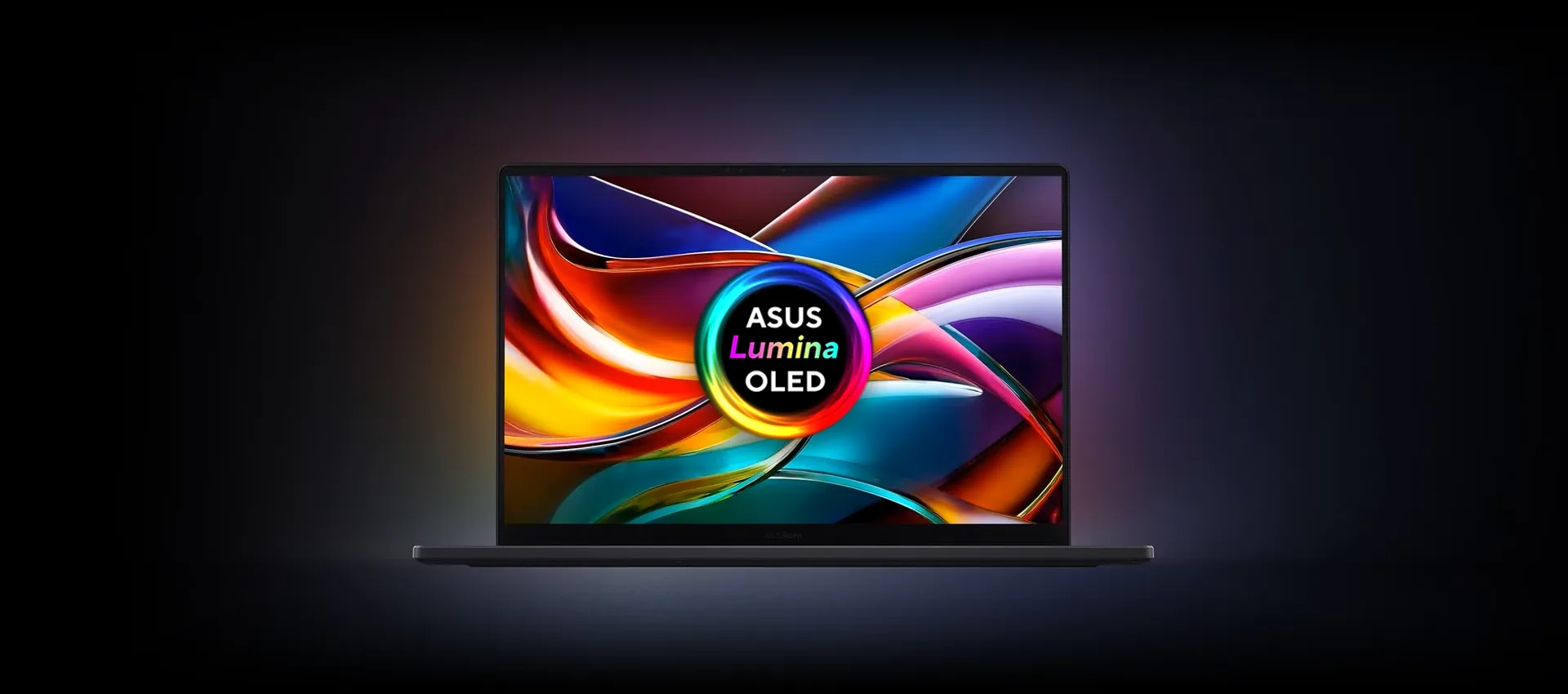
The Asus ProArt P16 stands as one of the most compelling Windows alternatives to Apple's MacBook Pro for creative professionals. This 16-inch workstation laptop combines the AMD Ryzen AI 9 HX 370 processor with up to Nvidia RTX 5070 graphics, delivering performance that crushes demanding creative workloads from 4K video editing to complex photo manipulation. The centerpiece is a breathtaking 4K OLED touchscreen with PANTONE validation and 100% DCI-P3 color gamut coverage, ensuring color-critical work meets professional standards. Asus has equipped the ProArt P16 with thoughtful creative tools including an innovative DialPad control surface integrated into the touchpad, allowing precise adjustments in Adobe Creative Suite applications. The all-metal chassis meets US military-grade MIL-STD 810H durability standards while maintaining a slim 1.85kg profile that makes it genuinely portable for field work. With comprehensive connectivity including USB4, HDMI 2.1, and SD Express 7.0 card reader, this laptop targets photographers, videographers, and designers who demand desktop performance without sacrificing mobility.[1][2][3][4][5]
Pros
- Exceptional creative performance with AMD Ryzen AI 9 HX 370 and RTX 4070/5070 graphics delivering top-tier benchmark results in Photoshop, Premiere Pro, and video transcoding tasks
- Stunning 4K OLED display with PANTONE validation, 100% DCI-P3 color gamut, and Delta E < 1 color accuracy ideal for color-critical professional work
- Military-grade durable construction (MIL-STD 810H certified) with fingerprint-resistant matte black finish that maintains premium aesthetics
- Innovative DialPad integration in touchpad enables precise control adjustments in creative applications like Photoshop and Premiere Pro
- Comprehensive port selection including USB4 (40Gbps), HDMI 2.1, SD Express 7.0 card reader, and multiple USB-A ports for professional workflows
Cons
- Loud fan noise under heavy creative workloads contrasts sharply with near-silent MacBook Pro operation
- Display limited to 60Hz refresh rate on 4K model, though 120Hz available on 3K variant
- SSD transfer speeds underwhelm compared to competing creator laptops, with read speeds around 3200 MBps versus 5000+ MBps on alternatives
- Overly glossy screen finish creates reflections in bright environments
- Battery life drains rapidly under intensive creative workloads, lasting under four hours when editing in Premiere Pro
The Asus ProArt P16 stands as one of the most compelling Windows alternatives to Apple's MacBook Pro for creative professionals. This 16-inch workstation laptop combines the AMD Ryzen AI 9 HX 370 processor with up to Nvidia RTX 5070 graphics, delivering performance that crushes demanding creative workloads from 4K video editing to complex photo manipulation. The centerpiece is a breathtaking 4K OLED touchscreen with PANTONE validation and 100% DCI-P3 color gamut coverage, ensuring color-critical work meets professional standards. Asus has equipped the ProArt P16 with thoughtful creative tools including an innovative DialPad control surface integrated into the touchpad, allowing precise adjustments in Adobe Creative Suite applications. The all-metal chassis meets US military-grade MIL-STD 810H durability standards while maintaining a slim 1.85kg profile that makes it genuinely portable for field work. With comprehensive connectivity including USB4, HDMI 2.1, and SD Express 7.0 card reader, this laptop targets photographers, videographers, and designers who demand desktop performance without sacrificing mobility.[1][2][3][4][5]
Design and Build Quality
The Asus ProArt P16 commands attention with its refined industrial aesthetic that prioritizes function without sacrificing form. The all-metal chassis features a fingerprint-resistant matte black finish that maintains its pristine appearance through daily handling, distinguishing it from glossier competing models. At 1.85kg and measuring just 1.49-1.73cm thick, the ProArt P16 achieves remarkable portability for a 16-inch workstation without compromising structural integrity.[4][2]
Asus subjected the ProArt P16 to MIL-STD 810H military-grade certification testing, validating its resistance to drops, dust, humidity, and shock. This durability certification proves particularly valuable for creative professionals who transition between studio environments and field locations. The machined aluminum edges eliminate sharp corners that could dig into wrists during extended typing sessions, demonstrating thoughtful ergonomic consideration.[3][2][4]
The hinge mechanism supports a 130-degree tilt angle, matching the MacBook Pro but falling short of expectations for a touchscreen-equipped device. This limitation restricts drawing and sketching workflows that would benefit from a greater recline angle. The display bezels remain slim without unnecessary branding, maintaining the professional aesthetic throughout.[2][4]
Port placement demonstrates practical consideration for professional workflows. The left edge houses HDMI 2.1, USB4 Type-C, USB-A 3.2, and a 3.5mm audio jack, while the right side provides another USB-A 3.2 port, USB-C Gen2, and the crucial SD Express 7.0 card reader. This symmetrical arrangement accommodates both left and right-handed users while preventing cable congestion on either side.[3][2]
Performance in Real Use
The AMD Ryzen AI 9 HX 370 processor paired with RTX 4070 graphics delivers exceptional performance across creative applications. In PCMag's testing, the ProArt P16 achieved first-place results in HandBrake video transcoding and topped Cinebench multi-core benchmarks among creator laptops. Tom's Guide recorded a Geekbench 6 multi-core score of 15,343 and completed 4K to 1080p video transcoding in just 3 minutes 20 seconds.[1][4]
Real-world creative workflows reveal the ProArt P16's capabilities under pressure. TechRadar tested the laptop with Canon EOS R5C 4K log 4:2:2 footage in Premiere Pro, noting the machine handled complex color corrections with minimal slowdown. A 15-minute timeline maintained smooth playback throughout editing, though intensive rendering tasks triggered noticeable fan activation. The laptop managed multi-application workflows effectively, simultaneously running Premiere Pro, Photoshop for overlays, and outputting to an external 4K monitor.[2]
Adobe Photoshop performance impressed reviewers consistently. The ProArt P16 delivered show-stopping results on Puget Systems' Photoshop benchmark, with PCMag noting it "hit every mark we expected for a laptop of this price point and caliber and then some". Complex operations like focus stacking with auto-align and blending completed without hesitation.[1][4][2]
The thermal management system supports up to 120W power draw but generates considerable noise under sustained loads. Fan activation occurs early during rendering tasks, producing audible noise that contrasts sharply with the near-silent operation of competing MacBook Pro models. The laptop's base runs warm during intensive work, with reviewers noting the small rubber foot provides insufficient clearance for optimal cooling.[4][2]
Storage performance presents a notable weakness. Tom's Guide measured SSD speeds at 3,214 MBps read and 2,835 MBps write using Blackmagic Disk Speed Test, falling significantly behind competing laptops that exceed 5,000 MBps. For workflows involving large file transfers, this limitation requires planning ahead rather than last-minute rushes.[4]
Ease of Use
The ProArt P16's keyboard delivers the tactile satisfaction Asus is known for, with well-spaced keys featuring clear typography and effective backlighting. The cleaner font choice compared to Asus's gaming laptops improves legibility during low-light work. Key travel provides satisfying feedback without requiring excessive force, enabling comfortable typing during extended sessions.[4]
The generously sized touchpad initially presents a learning curve. TechRadar's reviewer found the large surface area occasionally resulted in missed clicks until adjusting to the size. However, the smooth glass surface enables precise cursor control once acclimated.[2][4]
The integrated DialPad in the touchpad's upper left corner represents Asus's most innovative ergonomic feature. This touch-sensitive jog wheel controls system functions like volume and brightness while offering programmable shortcuts for Adobe Creative Suite applications. In Photoshop, users can adjust brush size or opacity through touch combinations, though real-time adjustments during active drawing remain limited. The DialPad proves increasingly valuable as muscle memory develops, offering genuine workflow benefits beyond novelty.[2][4]
The 4K OLED touchscreen responds with impressively low latency, supporting 4,096 pressure levels through MPP 2.0 stylus compatibility. Tom's Guide described the display as a "feast for the eyes" with supreme crispness ideal for detailed creative work. The 16:10 aspect ratio provides additional vertical space compared to traditional 16:9 panels, displaying more timeline tracks in video editing applications.[4][2]
Windows 11 Home comes preinstalled, which TechRadar notes makes sense for freelance creatives who rarely require Windows 11 Pro's enterprise features. Asus includes its StoryCube media hub, MuseTree AI ideation tool, and Creator Hub color management software, though setup initially requires navigating lengthy Windows configuration processes.[2]
Reliability
The MIL-STD 810H certification provides confidence in the ProArt P16's long-term durability. This military-grade testing validates resistance to environmental factors including temperature extremes, humidity, and physical shock. While not waterproof, the certification indicates the laptop should withstand considerably more abuse than standard consumer models.[3][2]
Customer reviews reveal generally positive reliability experiences with occasional concerns. Best Buy reviewers report solid build quality with laptops performing consistently well after weeks of use. However, some users note occasional Windows glitches requiring system restarts and rare Windows Hello facial recognition failures after updates.[6][7]
Thermal management raises long-term reliability questions. The laptop's base runs hot during sustained workloads, with inadequate clearance from the small rear rubber foot. Prolonged exposure to elevated temperatures could potentially impact component longevity, though no long-term failure data exists yet given the laptop's recent release.[4][2]
The large 200W power adapter includes an AC-to-DC transformer that users note is relatively bulky compared to competitors. However, this substantial power supply enables the performance boost visible when running on AC versus battery power during extended intensive tasks.[2]
Battery longevity varies dramatically based on workload. Tom's Guide measured 9 hours 32 minutes during web surfing tests, adequate for a full workday of light productivity. However, intensive Premiere Pro editing drains the 90WHr battery in under four hours, necessitating keeping the charger accessible during creative sessions. This contrasts sharply with MacBook Pro models that exceed 18 hours in similar testing.[4]
Use Cases
The ProArt P16 excels for professional photographers requiring color-accurate editing capabilities. The PANTONE-validated display with Delta E < 1 color accuracy and 100% DCI-P3 coverage meets professional color grading standards. The SD Express 7.0 card reader earns specific praise from photographers for eliminating external card reader requirements. Best Buy customers in photography workflows consistently highlight the convenience of direct card imports and the display's ability to reveal fine details.[5][7][2]
Videographers working with 4K footage find the ProArt P16 capable of handling demanding timelines. The RTX 4070 graphics accelerate encoding and effects processing, while the generous RAM enables smooth scrubbing through high-bitrate footage. TechRadar successfully edited Canon EOS R5C log footage with complex color corrections, noting performance approached desktop-class capabilities. However, the 60Hz refresh rate on 4K models limits motion playback smoothness for those working with high frame rate content.[7][2][4]
Graphic designers benefit from the large, color-accurate canvas and DialPad integration. The touchscreen supports natural drawing workflows when combined with MPP 2.0 styluses, though the limited 130-degree tilt restricts ergonomics compared to convertible designs. Photoshop workflows particularly benefit from DialPad shortcuts, enabling quick brush adjustments without interrupting creative flow.[2][4]
The ProArt P16 serves double duty as a capable gaming machine when creative work concludes. Tom's Guide recorded 102 FPS in Shadow of the Tomb Raider at 1080p, performance that rivals dedicated gaming laptops. TechRadar found Indiana Jones and the Great Circle ran smoothly, noting the 3K 120Hz display variant provides superior gaming experiences. However, the 4K 60Hz model's refresh rate limits competitive gaming applications.[4][2]
Academic and research users conducting computational workloads find the AMD Ryzen AI 9's multi-core performance advantageous. The 50 TOPS NPU enables AI-accelerated workflows in supported applications, though practical AI integration remains in early stages.[8][3][4]
Long-Term Ownership Feedback
Early adopter reviews indicate strong satisfaction with the ProArt P16's value proposition. TechRadar's reviewer, a long-time MacBook Pro user, seriously considered permanently switching to the ProArt P16 based on performance and build quality relative to cost. The reviewer noted that aside from minor irritations like fan noise and screen gloss, the ProArt P16 meets creative professional needs at a fraction of MacBook Pro M3 Max pricing.[7][2]
Best Buy customers report positive experiences after weeks to months of ownership. Users consistently praise the display quality, build solidity, and performance headroom for creative applications. A customer purchasing for their photographer daughter noted continued satisfaction after a month of daily use, highlighting the convenient SD card slot and excellent audio quality.[6][7]
Thermal concerns persist in long-term feedback. Multiple reviewers and customers note the laptop runs hot during sustained workloads, with some suggesting elevated laptop stands improve cooling. The fan noise remains a consistent criticism, particularly for users accustomed to silent Apple Silicon MacBooks.[7][2][4]
The touchpad size generates mixed long-term reactions. While some users adapt quickly and appreciate the generous surface area, others find the dimensions excessive even after extended use. The DialPad receives more consistently positive feedback as users develop muscle memory for its controls.[2][4]
Ultrabookreview community discussions reveal concerns about hinge durability over extended periods, though no widespread failures have emerged. The military-grade certification provides confidence, but the touchscreen's weight concentrates stress on hinge mechanisms.[1]
Display technology considerations influence long-term ownership decisions. The current OLED panel raises potential burn-in concerns for users displaying static elements continuously, though no reports of burn-in appear in early ownership periods. Future tandem OLED technology promises improved burn-in resistance and higher brightness, suggesting potential buyers may consider waiting for next-generation updates.[1]
| Specification | Details |
|---|---|
| Processor | AMD Ryzen AI 9 HX 370 with AMD XDNA NPU (up to 50 TOPS) [3][5] |
| Graphics | NVIDIA GeForce RTX 4060/4070/5070 (up to 24GB GDDR7 on RTX 5090 variant) [3][5] |
| Display | 16-inch 4K OLED (3840x2400) 60Hz or 3K (2880x1800) 120Hz, touchscreen, PANTONE validated [2][5] |
| Memory | 32GB or 64GB LPDDR5X (7500 MT/s) [3][2] |
| Storage | Up to 2TB M.2 NVMe PCIe 4.0 SSD with additional expansion slot [2][3] |
| Ports | USB4 Type-C (40Gbps), HDMI 2.1 FRL, 2x USB-A 3.2, SD Express 7.0 reader, 3.5mm audio [2][3] |
| Connectivity | WiFi 7 (802.11be) 2×2, Bluetooth 5.4 [3][5] |
| Camera | FHD ASUS AiSense with IR for Windows Hello [3][2] |
| Audio | Harman/Kardon certified speakers with built-in array microphone [2][7] |
| Dimensions | 35.49 x 24.69 x 1.49-1.73 cm [2] |
| Weight | 1.85 kg (4.1 pounds) [2][4] |
| Battery | 90 WHr [4] |
| Operating System | Windows 11 Home [2] |
| Durability | MIL-STD 810H military-grade certification [2][3] |
Buy
- You need a Windows laptop that matches MacBook Pro performance for video editing, photo manipulation, and graphic design at a significantly lower cost[2][4]
- Your workflow demands color-accurate displays with professional validation for photography, videography, or design work[4][2]
- You work both in studio environments and on location, requiring a durable yet portable workstation[1][2]
- You value extensive connectivity options including full-size SD card reader and multiple USB ports for peripherals and storage[3][2]
- You want AI-accelerated creative tools with 50 TOPS NPU performance for Copilot+ PC features and Adobe AI enhancements[3][4]
Skip
- You require silent operation during extended editing sessions or client presentations[2][4]
- You need all-day battery life for untethered mobile creative work away from power outlets[4][2]
- You primarily edit 8K video or require absolute maximum GPU performance beyond RTX 4070 capabilities[2]
- You prefer higher refresh rate displays for motion design work or occasional gaming[4][2]
- You're deeply invested in macOS ecosystem and Apple-optimized creative workflows[2][4]
Critic Reviews
No reviews yet.
User Reviews
No reviews yet.