
The Multitasking Powerhouse: Why the Logitech M585 Remains a Productivity Staple
Master your workflow across multiple machines without breaking a sweat. The Logitech M585 proves that high-end productivity doesn't require a high-end price tag—just smart design and the right features.
Updated February 8, 2026
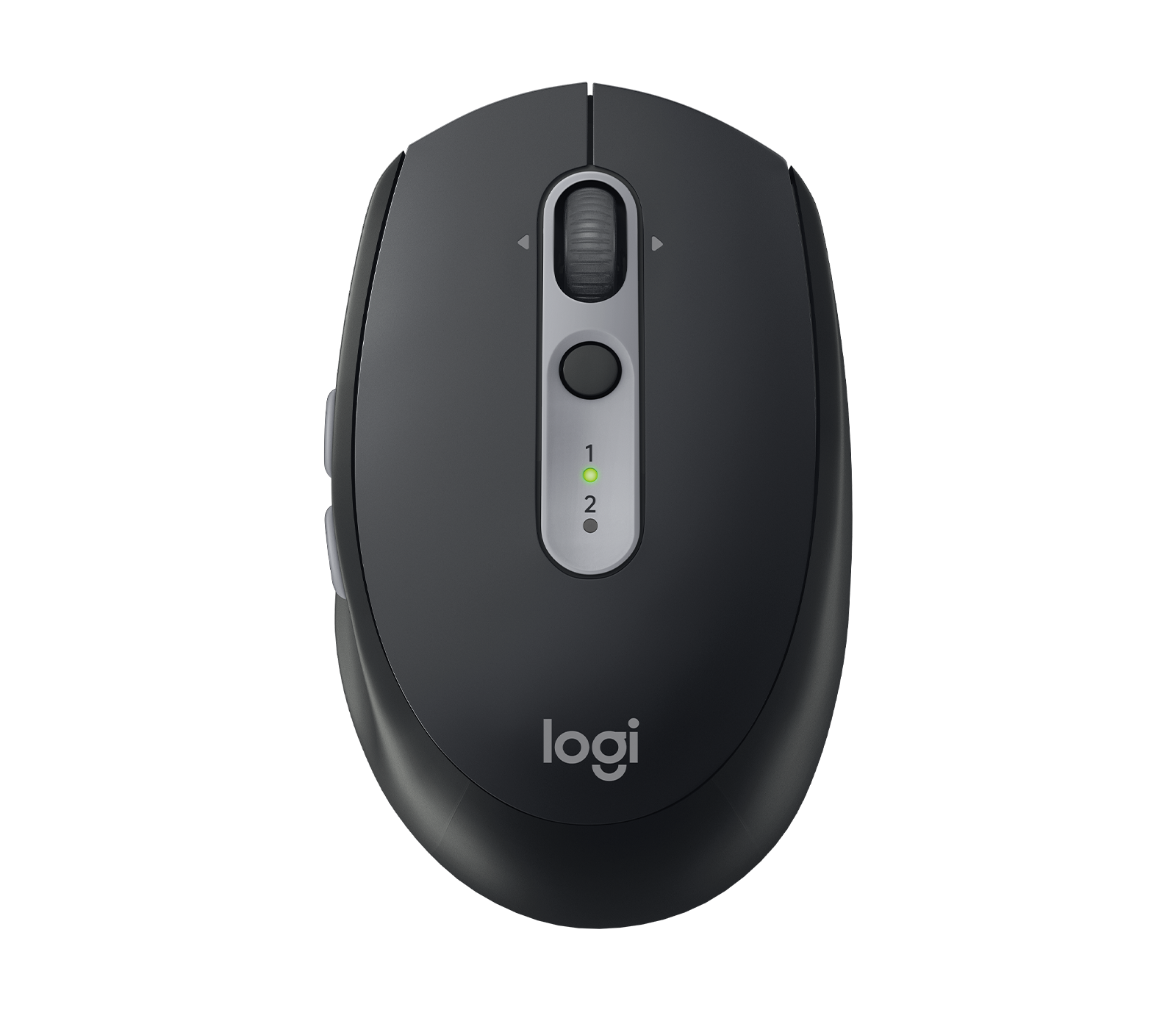
The Logitech M585 is a mid-range wireless mouse designed for users who jump between two computers. Featuring Flow technology, customizable thumb buttons, and a marathon battery life, it bridges the gap between basic peripherals and the premium MX series.
Pros
- Seamless Logitech Flow support for dual-computer control
- 24-month battery life on a single AA
- Dual connectivity via Bluetooth or Unifying Receiver
- Five programmable buttons for custom shortcuts
- Compact, ergonomic shape with curved thumb rest
Cons
- Noticeable click noise compared to the silent M590 version
- Optical sensor limited to 1000 DPI
- Smaller frame may cause fatigue for large hands
- Micro-USB/USB-C charging is absent (battery-only)
- Rubber side grips can degrade over years of heavy use
The Logitech M585 is a mid-range wireless mouse designed for users who jump between two computers. Featuring Flow technology, customizable thumb buttons, and a marathon battery life, it bridges the gap between basic peripherals and the premium MX series.
Design and Build Quality
The Logitech M585 occupies a unique space in the peripheral world, often referred to as the "Goldilocks" of productivity mice. Its design philosophy centers on functional ergonomics. While many budget mice are symmetrical and flat, the M585 features a distinct right-handed contour with a pronounced hump that supports the arch of the hand. The thumb rest is subtly carved into the left side, finished with a soft-touch rubberized material that provides a secure grip during long sessions.
Despite its plastic construction, the build quality feels dense and purposeful. It lacks the hollow "creak" found in cheaper entry-level models. The weight, even with the single AA battery inside, is well-balanced, providing enough heft for precision without becoming a burden during travel. One defining characteristic of the M585 design is its tactile feedback. Unlike its sibling, the M590, the M585 features traditional mechanical switches. This results in a satisfying, audible click that many users prefer for the sensory confirmation of an action, though it is worth noting it may be too loud for a library environment.
Performance in Real Use
Performance is where the M585 punches significantly above its weight class. At its core is the "Easy-Switch" technology, allowing the mouse to pair with two separate devices simultaneously. Switching between a desktop and a laptop is as simple as pressing the circular button located just below the scroll wheel.
However, the real star of the show is Logitech Flow. When paired with the Logitech Options software, the M585 allows users to move their cursor off the edge of one screen and onto another, even between different operating systems like Windows and macOS. This isn't just a cursor trick; it allows for the seamless copying and pasting of text, images, and files across machines. In a real-world testing environment, the latency when switching is minimal, making it an indispensable tool for researchers or developers who maintain dual-machine setups. The 1000 DPI optical sensor is perfectly adequate for office tasks and web browsing, tracking reliably on wood, laminate, and most fabric surfaces, though it struggles on glass.
Ease of Use
Setting up the M585 is remarkably straightforward. Users have the choice of using the included Logitech Unifying Receiver—which can connect up to six compatible Logitech devices—or via Bluetooth Low Energy. The Bluetooth pairing is particularly robust, maintaining a stable connection even in environments crowded with other wireless signals.
The Logitech Options software (now being succeeded by Logi Options+) is the gateway to unlocking the mouse's full potential. Here, users can remap the two thumb buttons and the tilt-wheel (left/right scroll). For instance, setting the thumb buttons to "Forward" and "Back" for browsing or "Mute" and "Camera Off" for video calls adds a layer of efficiency that basic mice cannot match. The software is intuitive, with a clean UI that guides the user through the Flow setup process.
Reliability and Connectivity
Reliability is perhaps the M585's strongest selling point. Logitech claims a 24-month battery life from a single AA battery, and long-term user reports largely back this up. The mouse features an aggressive but non-intrusive auto-sleep mode that preserves energy when not in motion, yet wakes up instantly upon the slightest movement.
Connectivity remains rock-solid. Using the Unifying Receiver provides a "zero-lag" experience indistinguishable from a wired connection. While Bluetooth is slightly more prone to the occasional OS-level wake-up delay, the M585 handles the protocol better than most. For users who switch machines frequently, the reliability of the "Easy-Switch" button is paramount; it responds instantly without the 3-5 second "searching" phase often seen in cheaper multi-device peripherals.
Use Cases
The M585 is the quintessential "Home Office" mouse. It is designed for the professional who manages a corporate laptop alongside a personal desktop. It also excels as a "Pro" travel mouse. For students, the ability to jump from a tablet to a laptop while writing a paper is a significant workflow boost.
It is also highly effective for those who use a laptop as a secondary screen. Instead of using a clunky KVM switch or emailing files to yourself, the M585 treats two computers like a single, giant desktop. It is less suited for high-intensity gaming or professional video editing where a higher DPI and more specialized sensor (like the Darkfield sensor found in the MX Master) would be required for pixel-perfect accuracy on high-resolution displays.
Long Term Ownership Feedback
Feedback from long-term owners reveals a device that ages gracefully, with a few caveats. The mechanical components—the switches and the scroll wheel—are rated for millions of clicks and typically last for years without developing the dreaded "double-click" issue. The primary point of wear is the rubberized side grips. After two to three years of daily use, some users report the rubber becoming slightly tacky or beginning to smooth out.
Another recurring theme in long-term feedback is the software. While Logitech Options is generally stable, firmware updates are infrequent, and some users have noted that Windows or macOS updates can occasionally break the Flow functionality until a software patch is applied. However, the hardware itself remains a "tank" in the world of mobile productivity. For many, the M585 is a "buy it once and forget about it" purchase that survives multiple laptop upgrades.
| Specification | Details |
|---|---|
| Dimensions | 103 x 64 x 40 mm (4.05 x 2.52 x 1.57 inches) [^1_3] |
| Weight | 100 g (3.52 ounces) [^1_3] |
| Connectivity | Bluetooth Smart & 2.4GHz Unifying receiver [^1_3] |
| Wireless Range | 10 meters [^1_4] |
| DPI | 1000 DPI fixed [^1_3] |
| Sensor Type | Neptune invisible optical sensor [^1_3][^1_5] |
| Buttons | 5 programmable buttons including tilt wheel with middle click [^1_3][^1_4] |
| Battery | 1 x AA battery (included) [^1_3][^1_4] |
| Battery Life | Up to 24 months [^1_3][^1_4] |
| Scroll Wheel | Mini Ratchet 4D Optical with precision scrolling [^1_3] |
| Multi-Device Support | Up to 2 devices with Easy-Switch [^1_4][^1_3] |
| OS Compatibility | Windows 7+, macOS 10.05+, Chrome OS, Linux, Android 5.0+, iPadOS 13.4+ [^1_3][^1_4] |
| Software | Logitech Options for button customization [^1_3][^1_1] |
| Special Features | Logitech Flow for cross-computer control and file transfer [^1_4][^1_5] |
Buy
- You frequently work on two PCs or a laptop/tablet combo
- You need a travel-friendly mouse that doesn't feel flimsy
- You want MX-series features like Flow at a lower cost
- You prefer a tactile, "clicky" feedback for button presses
- You want a set-it-and-forget-it device with multi-year battery life
Skip
- You have large hands and use a full-palm grip style
- You work in a shared quiet space (opt for the M590 instead)
- You are a competitive gamer requiring high-polling rates
- You prefer an internal rechargeable battery via USB-C
- You need a mouse with a dedicated physical horizontal scroll wheel
Critic Reviews
No reviews yet.
User Reviews
No reviews yet.