
The Silent King of Productivity: Why the Logitech MX Master 3S Remains the Undisputed Desk Champion
Logitech’s flagship pointer isn't just a mouse; it’s a workflow accelerator. With 8,000 DPI tracking and near-silent clicks, find out why the MX Master 3S remains the gold standard for creators and professionals.
Updated February 8, 2026
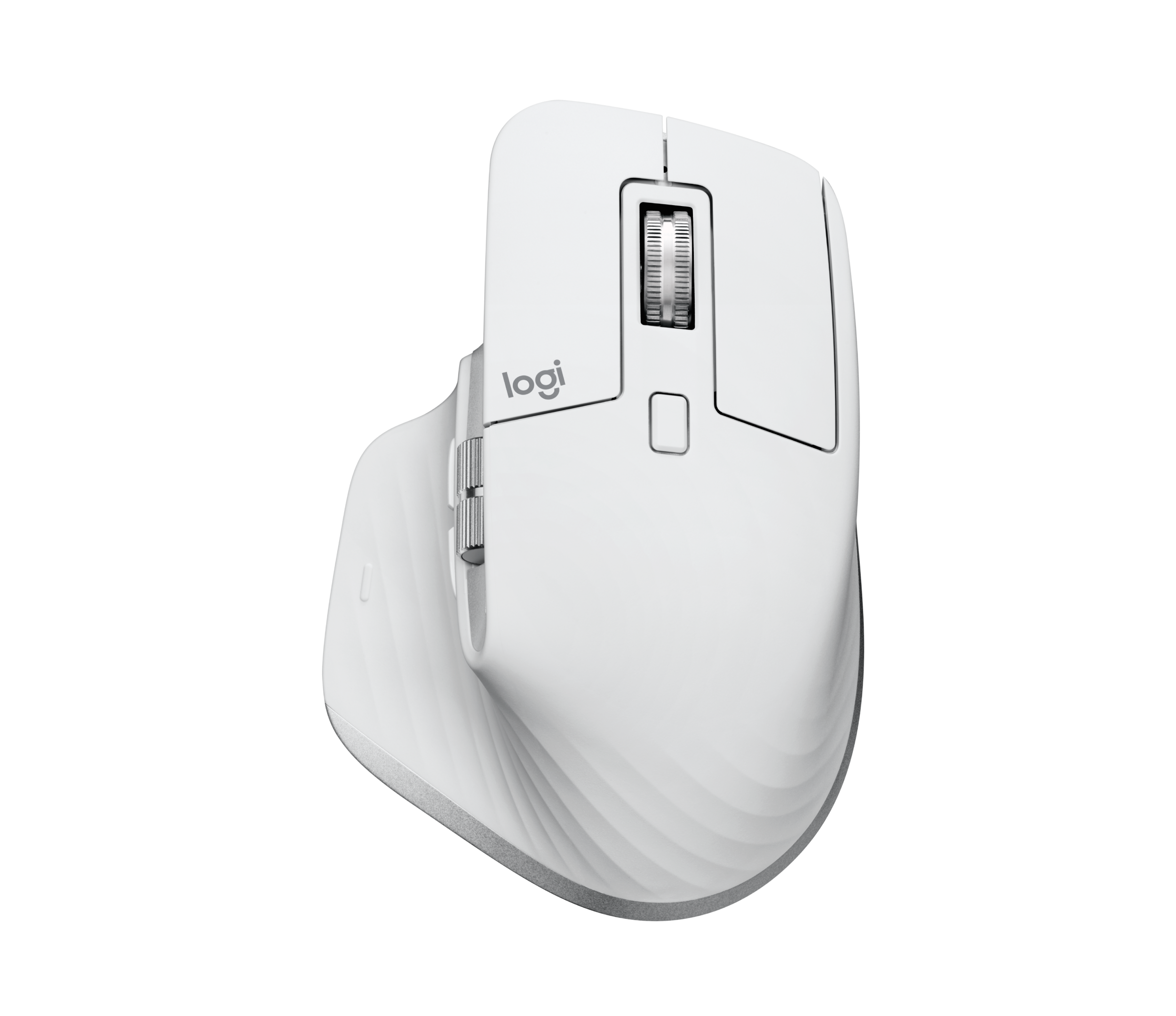
The Logitech MX Master 3S is an incremental but vital evolution of the iconic MX Master series. It retains the beloved ergonomic silhouette while introducing "Quiet Click" switches that provide tactical feedback without the noise, and an upgraded 8,000 DPI sensor capable of tracking on glass. Designed for power users, it features the MagSpeed electromagnetic scroll wheel and deep software integration via Logi Options+, making it the premier choice for multi-device workflows and precision editing.
Pros
- Near-silent tactile clicks reduce office noise while maintaining a premium feel.
- 8,000 DPI optical sensor tracks flawlessly on nearly any surface, including glass.
- MagSpeed Electromagnetic scrolling allows for pixel-precise stops and 1,000 lines-per-second speed.
- Exceptional ergonomic design with a dedicated thumb rest and gesture button.
- Robust multi-device connectivity via Logi Bolt and Bluetooth with Easy-Switch for three devices.
Cons
- The 125Hz polling rate is unsuitable for competitive or high-refresh-rate gaming.
- The right-handed-only ergonomic shape excludes left-handed users entirely.
- The physical size and weight make it cumbersome for users with smaller hands or frequent travelers.
- The soft-touch rubber coating is prone to wear and oil buildup over long-term use.
- Heavy reliance on Logi Options+ software for full functionality can be a barrier in restricted IT environments.
The Logitech MX Master 3S is an incremental but vital evolution of the iconic MX Master series. It retains the beloved ergonomic silhouette while introducing "Quiet Click" switches that provide tactical feedback without the noise, and an upgraded 8,000 DPI sensor capable of tracking on glass. Designed for power users, it features the MagSpeed electromagnetic scroll wheel and deep software integration via Logi Options+, making it the premier choice for multi-device workflows and precision editing.
Design and Build Quality
The Logitech MX Master 3S is a masterclass in functional industrial design. At first glance, it preserves the aggressive, sweeping curves of its predecessor, the MX Master 3. The high-arch design is specifically sculpted to support the palm, while the flared thumb rest ensures your hand stays in a neutral, relaxed position. The build quality feels dense and premium, utilizing a mix of matte plastics and a textured rubberized grip that provides security without feeling sticky out of the box. The centerpiece remains the MagSpeed scroll wheel—a machined steel marvel that uses electromagnets to switch between a notched, tactile feel and a frictionless free-spin. New for the 3S is the "Quiet Click" mechanism. Unlike the sharp, metallic "snap" of previous generations, these buttons offer a dampened, thud-like feedback that is nearly inaudible in a typical office setting. This change isn't just about noise; it alters the perceived premium nature of the device, making it feel more like a precision tool than a plastic peripheral.
Performance in Real Use
In day-to-day productivity, the 8,000 DPI sensor is the headline upgrade. While most office users rarely exceed 1,600 DPI, the increased ceiling is a boon for those using dual 4K monitors or ultra-wide displays. It allows for sweeping cursor movements with minimal physical hand travel, reducing fatigue over long sessions. The "Darkfield" tracking remains the best in class, handling transparent glass and high-gloss surfaces where even high-end gaming mice often stutter. The MagSpeed wheel is addictive; once you get used to the "SmartShift" feature—where a flick of the finger sends the wheel into a 1,000-line-per-second spin—using a traditional mechanical wheel feels archaic. The side-mounted thumb wheel is equally vital for video editors navigating timelines or accountants scrolling through endless horizontal columns in Excel.
Ease of Use
Setup is seamless via the Logi Bolt USB receiver or Bluetooth Low Energy. The Logi Options+ software is where the mouse truly comes alive. Users can customize every button on a per-app basis. For instance, the side buttons can be set to 'Undo/Redo' in Adobe Photoshop but 'Mute/Unmute' in Zoom. The "Gesture Button" located under the thumb adds another layer of utility; holding it down and moving the mouse in four directions can trigger Mac-style Mission Control or Windows Task View. For those managing a laptop and a desktop simultaneously, 'Logitech Flow' allows the cursor to move off the edge of one screen and onto another, even transferring clipboard data and files between different operating systems. It is remarkably intuitive once configured, though the initial software setup requires a bit of patience.
Reliability
Logitech has addressed previous connectivity concerns by moving to the Logi Bolt standard, which offers better security and stability in congested wireless environments compared to the old Unifying receiver. Battery life remains a standout feature, lasting up to 70 days on a full charge. The USB-C quick-charging port is conveniently located at the front, allowing the mouse to be used in wired mode while charging—a significant advantage over competitors like the Apple Magic Mouse. While the software has become more stable over time, some users still report occasional "ghost" movements if the sensor becomes dusty, though a quick wipe usually resolves this. The internal mechanical components, particularly the electromagnetic wheel, are rated for millions of cycles and show very few failures in community reports.
Use Cases
The MX Master 3S is the "Swiss Army Knife" for specific demographics. For software developers, the ability to map complex macros to mouse gestures is a productivity multiplier. For video and photo editors, the precision of the 8K sensor and the horizontal thumb wheel makes scrubbing through timelines feel natural. It also excels in the "Modern Hybrid Office" role; its silent clicks are respectful to colleagues in open-plan spaces or family members when working from home late at night. However, it is explicitly not a gaming mouse. The 125Hz polling rate creates a slight "input lag" that is invisible during spreadsheets but deadly in a fast-paced shooter.
Long-Term Ownership Feedback
Community consensus from Reddit and dedicated tech forums suggests that while the internal hardware is bulletproof, the external soft-touch coating is the mouse's Achilles' heel. Heavy users often report that after 18 to 24 months, the rubberized sections around the thumb and palm can begin to "shine" or, in extreme humidity, become slightly tacky. Some long-term owners have also noted that the "Quiet Click" buttons can lose some of their tactile crispness after a year of heavy use, though they remain functional. Despite these cosmetic aging issues, the general sentiment is that the MX Master 3S is a "buy it once" device that significantly improves the daily ergonomics of professional life. Most users who move to the MX series find it nearly impossible to return to standard mice.
| Specification | Details |
|---|---|
| Sensor | 8000 DPI Darkfield optical sensor [^1_5] |
| Connectivity | Bluetooth, Logi Bolt USB receiver [^1_6] |
| Battery Life | Up to 70 days, USB-C fast charging (1 min = 3 hours) [^1_8][^1_9] |
| Buttons | 7 programmable buttons [^1_5] |
| Scroll Wheels | MagSpeed electromagnetic main wheel, horizontal thumb wheel [^1_7][^1_10] |
| Polling Rate | 125Hz [^1_11] |
| Click Lifespan | 50 million clicks (Omron switches) [^1_11] |
| Multi-Device | Connects to 3 devices simultaneously [^1_3] |
| Dimensions | Ergonomic right-handed design with thumb rest [^1_3] |
| Materials | Soft-touch coating, PTFE feet [^1_11] |
Buy
- You spend 8+ hours a day at a desk and require a shape that minimizes wrist strain.
- Your workflow involves massive spreadsheets or long code blocks where the infinite scroll wheel saves time.
- You work in a shared office or quiet environment where loud clicking is a distraction.
- You use multiple computers simultaneously and need seamless cross-device cursor and file movement (Flow).
- You need a mouse that tracks accurately on glass conference tables or glossy home desks.
Skip
- You are looking for a dual-purpose mouse that can handle fast-paced FPS or competitive gaming.
- You are a left-handed user; there is no southpaw version of this hardware.
- You have small hands and find the high arch and wide thumb rest difficult to grip comfortably.
- You prefer a lightweight, "flickable" mouse for high-speed navigation.
- You work in a highly secure environment where installing third-party software like Logi Options+ is prohibited.
Critic Reviews
No reviews yet.
User Reviews
No reviews yet.