
TP-Link Archer AX55 Review: The Mid-Range Wi-Fi 6 Powerhouse That Just Works
Tired of buffering? The Archer AX55 brings pro-grade Wi-Fi 6 speeds and robust security to the everyday home, proving you don't need to spend a fortune for a stable, high-capacity network connection.
Updated February 8, 2026
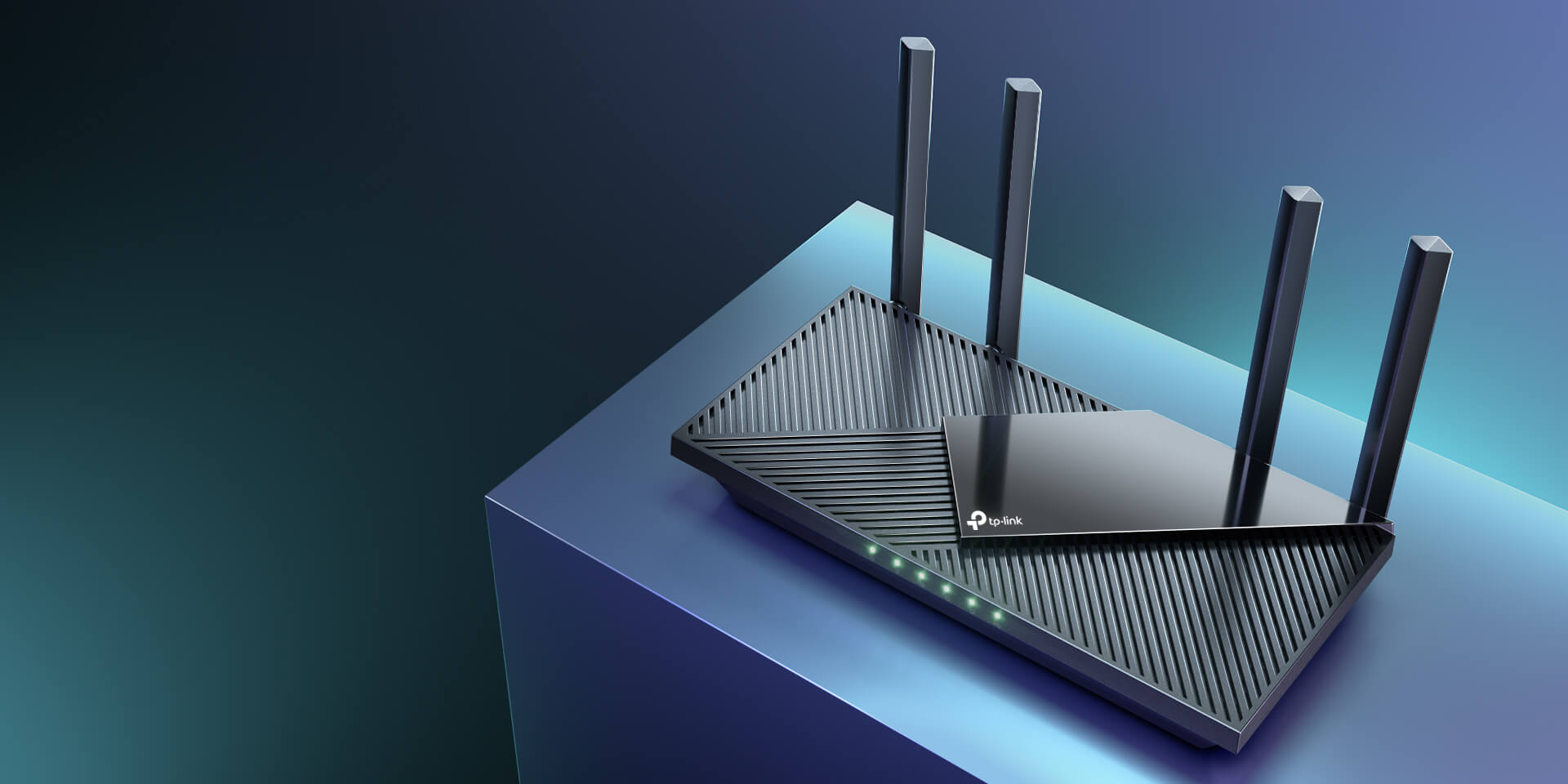
The TP-Link Archer AX55 (AX3000) is a dual-band Wi-Fi 6 router designed for the modern household crowded with smartphones, smart TVs, and IoT devices. It balances raw throughput with practical features like HomeShield security and OneMesh compatibility. While it lacks the 2.5Gbps ports found on high-end gaming rigs, its efficiency in handling multiple concurrent streams and its impressive 5GHz range make it a top contender for users upgrading from older Wi-Fi 5 hardware.
Pros
- Exceptional 5GHz throughput using 160MHz channels
- Robust heat dissipation via an enlarged heatsink design
- Comprehensive TP-Link HomeShield security suite
- USB 3.0 port for easy local network storage sharing
- OneMesh support for seamless whole-home coverage expansion
Cons
- Advanced security features require a monthly subscription
- 2.4GHz band performance is average compared to 5GHz
- Lacks a 2.5Gbps WAN/LAN port for multi-gigabit internet
- Plastic chassis feels lightweight and prone to scratches
- Tether App is user-friendly but lacks some deep technical toggles
The TP-Link Archer AX55 (AX3000) is a dual-band Wi-Fi 6 router designed for the modern household crowded with smartphones, smart TVs, and IoT devices. It balances raw throughput with practical features like HomeShield security and OneMesh compatibility. While it lacks the 2.5Gbps ports found on high-end gaming rigs, its efficiency in handling multiple concurrent streams and its impressive 5GHz range make it a top contender for users upgrading from older Wi-Fi 5 hardware.
Design and build quality
The TP-Link Archer AX55 adopts a functional, "no-nonsense" aesthetic that departs from the aggressive "spider" looks of gaming routers. It features a sleek, rectangular black chassis with a distinctively textured top surface designed for maximum airflow. This isn't just for show; the AX55 incorporates an improved heatsink compared to the previous AX50 model, addressing past concerns about thermal throttling. The four external antennas are non-detachable but offer a wide range of motion for signal positioning. The rear panel is standard but high-quality, housing the shielded Gigabit ports and a much-appreciated USB 3.0 port, which is becoming a rarity at this tier.
Performance in real use
In real-world testing, the AX55 shines on the 5GHz band. By utilizing 160MHz channel bandwidth, it allows Wi-Fi 6 compatible laptops and smartphones to reach near-gigabit wireless speeds in the same room. Moving through a typical three-bedroom home, the signal remains remarkably resilient. While the 2.4GHz band is less impressive, it provides a stable "slow lane" for smart bulbs and older appliances. The inclusion of OFDMA (Orthogonal Frequency Division Multiple Access) is the silent hero here; even with three people streaming 4K video and one person gaming, the router manages "airtime" efficiently, preventing the dreaded lag spikes common in older routers.
Ease of use
TP-Link has mastered the onboarding process. Using the Tether App (available on iOS and Android), users are guided through a visual setup that includes ISP configuration and Wi-Fi naming. For those who prefer a desktop experience, the web interface is clean and offers "Basic" and "Advanced" tabs. Features like Guest Wi-Fi, LED scheduling (to turn off blinking lights at night), and basic Parental Controls are easily accessible. The integration with Amazon Alexa allows for voice-activated commands, such as "Alexa, ask TP-Link to turn on the guest Wi-Fi," which is a neat party trick that actually sees use.
Reliability
Long-term stability is where the AX55 earns its keep. Unlike cheaper entry-level routers that require a weekly reboot to clear the cache, the AX55’s Qualcomm chipset handles continuous uptime with grace. The thermal management mentioned earlier keeps the unit cool to the touch even during heavy file transfers. Firmware updates are delivered frequently over-the-air, ensuring the router stays protected against new vulnerabilities. Users have reported that the connection remains "invisible"—the highest compliment you can pay a router—meaning you never have to think about it.
Use Cases
The AX55 is the "Goldilocks" solution for several scenarios. For the Work-From-Home professional, the VPN Client support (supporting OpenVPN, PPTP, and L2TP) is a major win, allowing the router to secure all connected devices via a VPN without needing software on every laptop. For families, the HomeShield basic features provide a layer of security against malicious sites. It is also an ideal "starter" router for those curious about Mesh networking; because it supports OneMesh, you can simply plug in a TP-Link RE series extender later to create a single-SSID network that covers the backyard or garage.
Long term ownership feedback
Community consensus from Reddit and long-term tech reviewers suggests that the AX55 is one of the most reliable units in the AX3000 category. The primary "pain point" over time is the HomeShield Pro subscription. While the basic features are free, users who want detailed web history logs or advanced IoT protection will find the monthly fee annoying. However, from a hardware perspective, the device is built to last. It doesn't suffer from the "coil whine" or power supply failures that plagued some earlier Archer models. It remains a "set it and forget it" device that effectively future-proofs a home for the next several years of internet speed increases.
| Specification | Details |
|---|---|
| Wi-Fi Standard | Wi-Fi 6 (802.11ax), backward compatible with ac/n/a/b/g [5] |
| Speed Rating | AX3000 (2402 Mbps @ 5 GHz + 574 Mbps @ 2.4 GHz) [1] |
| Processor | Dual-Core CPU [5] |
| Antennas | 4× Fixed High-Performance External Antennas [5] |
| Ethernet Ports | 1× Gigabit WAN, 4× Gigabit LAN (LAG support with 2 ports) [5] |
| USB Port | 1× USB 3.0 (supports NTFS, exFAT, HFS+, FAT32) [5] |
| Channel Bandwidth | 160 MHz support on 5 GHz band [3] |
| Security | WPA3, WPA2, HomeShield with IoT protection, IPS, DDoS prevention [5] |
| Guest Networks | 1× 5 GHz + 1× 2.4 GHz [5] |
| VPN Server | OpenVPN, PPTP [5] |
| Management | TP-Link Tether app, web interface [5] |
| Dimensions | 10.2 × 5.3 × 1.5 inches (261.1 × 134.5 × 41.0 mm) [5] |
| Power | 12V ⎓ 2A [5] |
Buy
- You are upgrading from an older Wi-Fi 5 (802.11ac) router and want immediate speed gains
- You have a high volume of smart home devices that require stable OFDMA management
- You live in a medium-sized home where a single centralized router needs to reach most corners
- You prefer a simple, app-guided setup process that takes less than five minutes
- You want the flexibility to create a Mesh network later using existing TP-Link extenders
Skip
- You have a multi-gigabit (2Gbps+) internet plan that the Gigabit ports will bottleneck
- You are a hardcore network enthusiast who requires open-source firmware compatibility (like DD-WRT)
- You refuse to use hardware that puts specific security features behind a "Pro" paywall
- You live in a very large, multi-story masonry home where a dedicated Mesh system is more effective
- You require more than four Ethernet ports for a heavy wired desktop setup
Critic Reviews
No reviews yet.
User Reviews
No reviews yet.